
A CMYK vs RGB for print decision starts with how the two color models work. RGB uses red, green, and blue light for screens. CMYK uses cyan, magenta, yellow, and black inks for many print processes. The two systems overlap, but they do not describe the same reproducible range of color.
For publishers, the difference becomes visible when a bright screen color is converted for paper. A digital blue, green, or orange may lose saturation, change hue, or become darker. The result depends on the target press, paper, ink, finish, and color profile. For Bible covers, maps, and inserts, the right workflow starts with the output condition and ends with an approved physical proof.
What Do RGB and CMYK Mean for Print?
RGB is an additive color model that combines light, while CMYK is a subtractive model that combines process inks on a physical substrate. RGB is natural for screens; CMYK maps more directly to four-color printing, but the final result still depends on the press and paper.
| Color system | How it creates color | Where it is used | Buyer action |
|---|---|---|---|
| RGB | Adds red, green, and blue light | Screens, cameras, digital artwork, online viewing | Keep an embedded profile and ask the printer whether RGB delivery is supported |
| CMYK | Subtracts light through cyan, magenta, yellow, and black ink | Many offset and digital print workflows | Use the target output condition when converting or exporting |
| Spot color | Uses a separate premixed ink or plate | Defined brand colors, special inks, or extra process effects | Confirm the ink, plate, file channel, and proof method |
The practical question is not which mode is always “better.” It is where the color will be interpreted and which device profile describes that interpretation. Kingtai’s custom printing services page is a useful starting point for a project conversation about content, format, and production requirements.
Why Does RGB Look Different on Paper?
RGB can look brighter because a screen emits light, while paper reflects light from ink and the substrate. A print cannot reproduce every color a particular screen can display, especially highly saturated colors that fall outside the chosen CMYK output gamut.
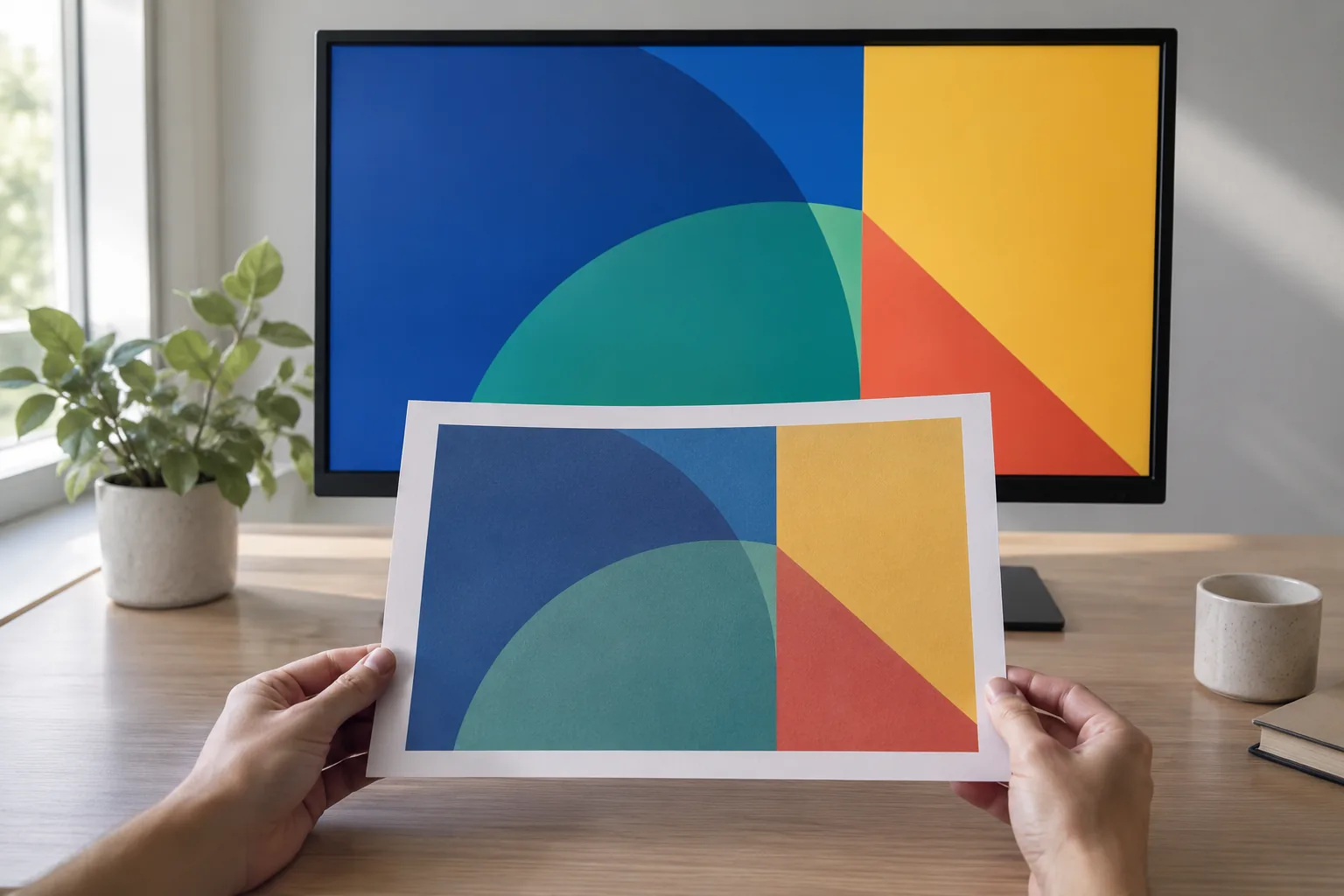
The change can come from more than the RGB-to-CMYK conversion. Paper shade changes perceived color. A coated and an uncoated surface reflect and absorb ink differently. A matte finish can reduce glare while changing contrast. A cover, map, and thin Bible insert may therefore produce different visual results even when the digital color values are identical.
When a bright RGB color shifts, the conversion process chooses a printable approximation. That approximation may preserve the hue, lightness, or saturation more successfully depending on the rendering intent and profile. It cannot create a pigment or ink color that the target process cannot reproduce.
For a Bible cover or insert, review the conversion on the intended substrate. Kingtai’s custom Bible printing page provides context for matching paper, binding, cover, sampling, and production planning instead of judging a cover color from a screen alone.
What Is a Gamut Limit?
A gamut limit is the boundary of colors a device or process can represent under defined conditions. A screen, camera, RGB working space, CMYK press condition, and paper can each have a different gamut.
| Gamut issue | Likely result | Prepress response |
|---|---|---|
| Bright RGB color outside target CMYK gamut | Duller, darker, or shifted color | Soft-proof the target profile and choose an acceptable conversion intent |
| Fine color differences in a map | Adjacent regions may merge or lose hierarchy | Test the map legend, boundaries, and labels on the actual paper |
| Deep RGB shadow outside print range | Lost detail or a blocked-up area | Inspect shadows after conversion and proof the darkest pages |
| Bright cover accent on a coated or uncoated stock | Different perceived saturation or contrast | Approve a substrate-specific proof rather than a generic screen image |
Gamut warnings are useful diagnostic information. They do not decide the design for you. A publisher may prefer to preserve a recognizable hue, a visual contrast between map regions, or detail in a dark illustration. State that priority in the proof review so the conversion has a clear target.
What Does an ICC Profile Do?
An ICC profile describes how a device or printing condition represents color. A color-management module uses profiles to translate color data between spaces through a defined reference, which lets software interpret the same values with more context. The International Color Consortium’s profile FAQ explains why the source and output conditions both matter.
An RGB profile describes the source or editing condition. A CMYK output profile describes a particular press, ink, paper, and process condition. The profile is therefore part of the production specification. A generic “CMYK” label does not identify which press condition the numbers represent.
Embedded profiles help downstream prepress understand the intended source space. They do not turn a file into a universal color guarantee. The profile must be suitable for the intended output, and the printer may use a different managed conversion or request a particular PDF workflow.
Ask the printer:
- Which output condition or profile should the file target?
- Should images remain RGB with embedded profiles, or arrive as CMYK?
- Who performs the conversion, and at what stage?
- Which paper and finish does the profile represent?
- How will out-of-gamut colors and overprints be reviewed?
If the printer cannot answer those questions, a CMYK file with an unknown origin may provide less useful control than a properly profiled RGB file sent to a managed prepress workflow.
Should Publishers Convert RGB to CMYK?
Publishers should convert RGB to CMYK when the printer’s workflow calls for a defined CMYK output condition and the publisher needs control over the separation. They can also keep RGB through editing and delivery when the prepress team accepts embedded RGB and performs a managed conversion for the target press.
| Workflow | When it fits | What must be confirmed |
|---|---|---|
| RGB editing, profiled RGB delivery | A capable prepress team manages conversion for the target output | Embedded profile, conversion owner, output condition, and proof |
| RGB editing, deliberate CMYK conversion | The publisher needs to inspect and adjust separations | Destination profile, rendering intent, black generation, and proof |
| Existing CMYK artwork | A prior press condition is known and still applies | Profile, paper, press, finish, and whether a new conversion is needed |
| Mixed RGB/CMYK layout | Complex books contain images, vectors, and placed files from different sources | Color-management settings, embedded profiles, transparency, and export behavior |
Do not convert simply because a checklist says “CMYK.” Convert with a destination. A late conversion without a proof can shift a cover or map after editorial approval, while an early conversion to the wrong condition can lock in a compromise that the final press cannot undo.
When Do Spot Colors Make Sense?
Spot colors make sense when a project needs a defined premixed ink, a special effect, or a color that process CMYK does not reproduce consistently enough for the use case. Each spot color adds a separate plate or ink decision, so it needs agreement before the file is prepared.
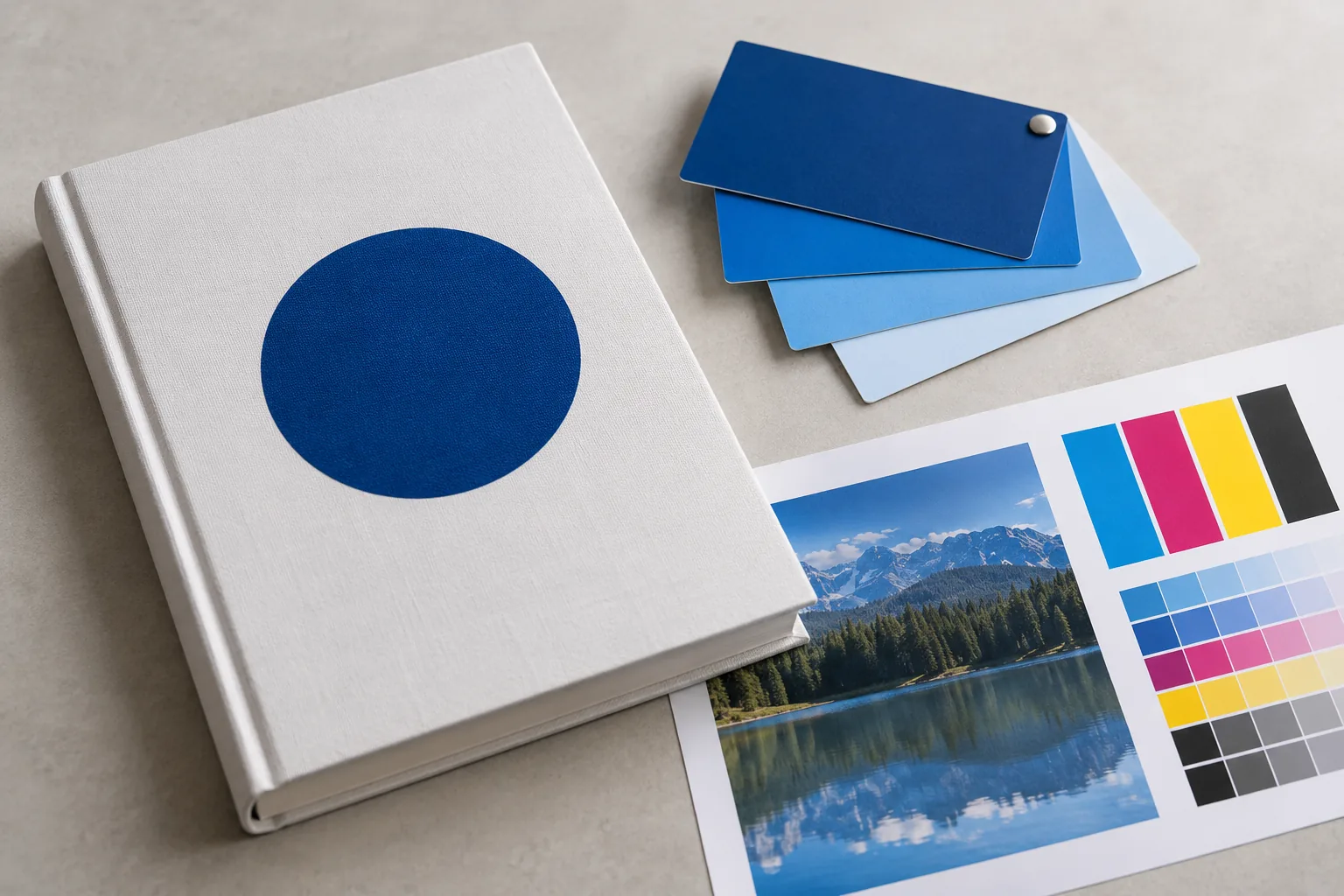
For a Bible project, a spot color might be considered for a defined cover mark, a special brand color, or an effect specified by the printer. A map that uses many spot colors may add substantial separation and approval complexity. A process-color map may be more practical when the design can tolerate the target gamut.
Before using a spot color, confirm:
- The ink name or specification and the substrate.
- Whether the press can run the additional ink.
- The spot channel name and overprint behavior in the file.
- Whether the color appears in the cover, map, insert, or finishing layer.
- How the proof will show the spot ink and any interaction with CMYK.
Treat a spot color as a production choice, not a magic color-match button. The printed result still depends on the substrate, ink, press, and proof condition.
How Do Bible Covers, Maps, and Inserts Differ?
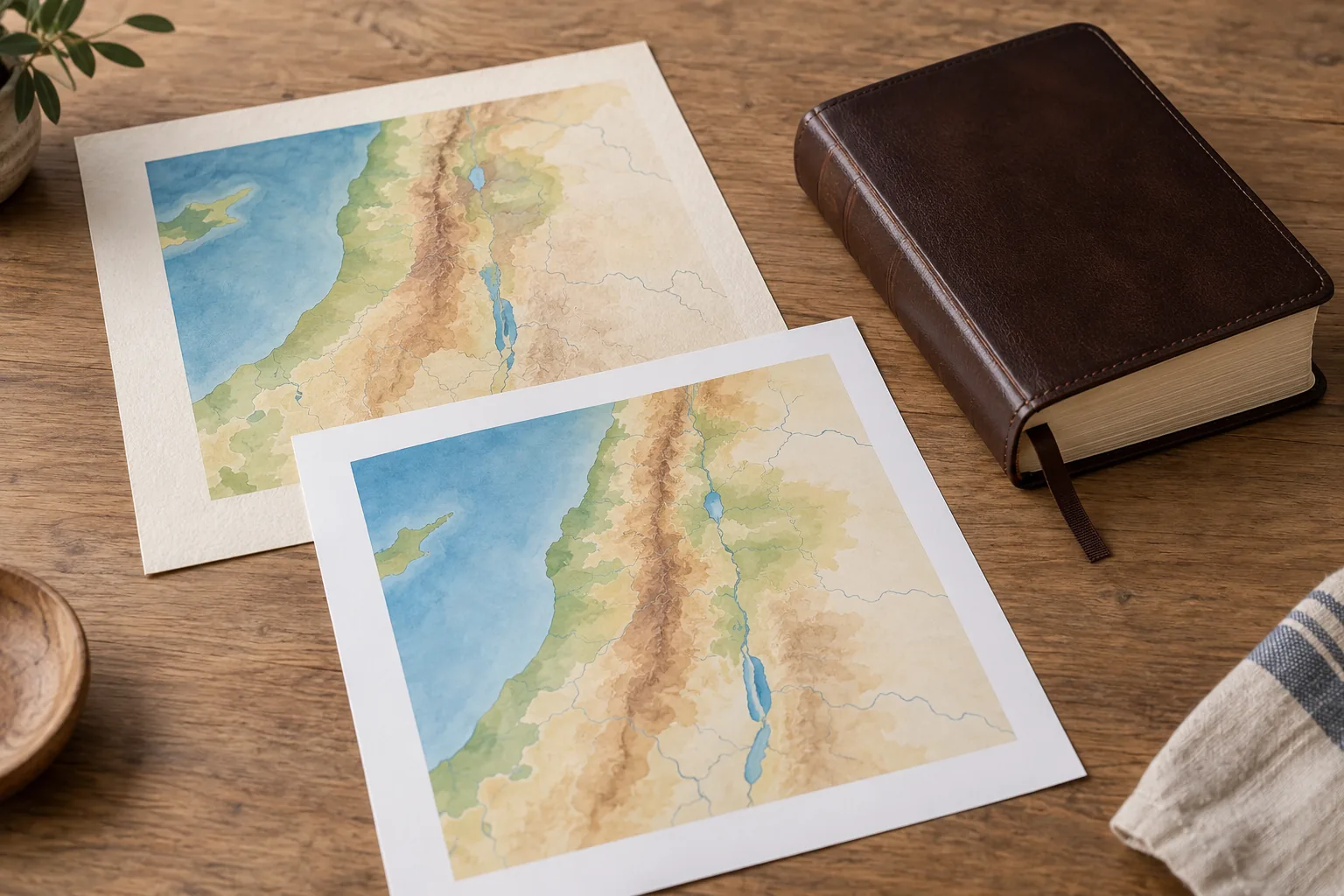
Bible covers, maps, and inserts can need different color strategies because their papers, viewing distance, ink coverage, and finishing are different. One file handoff should identify those roles instead of assuming a single color decision fits the entire product.
| Page role | Common color concern | What to proof |
|---|---|---|
| Bible cover | Brand color, dark areas, coating, foil, and shelf lighting | Cover stock, finish, overprint, large solids, and the approved physical cover |
| Map | Fine boundaries, small labels, color separation, and fold/trim context | Full map, legend, fine lines, folded area, and paper under intended light |
| Color insert | Image detail, paper contrast, page sequence, and binding | Representative spreads, darkest/highest-coverage pages, and section attachment |
| Text-heavy page | Small type, neutral color, show-through, and paper shade | Actual text, notes, rules, and the paper used for the book block |
Kingtai’s Scripture publishing solutions page provides a relevant use-case context for matching a faith-based edition to its audience and distribution plan. For paper behavior, its Bible paper guide explains why opacity, printability, bulk, and binding should be considered with color.
What Should a Print-Ready Color Brief Include?
A print-ready color brief should name the output condition, page role, paper, files, proof, and approval owner. “Please keep the colors accurate” leaves the central variables open.

| Handoff field | What to provide | Why it matters |
|---|---|---|
| Destination | Press/process, paper, finish, and requested profile or managed workflow | Defines what CMYK numbers mean |
| Source files | Native files, placed images, embedded profiles, and linked assets | Preserves color intent and prevents unknown conversions |
| Page roles | Cover, text, map, insert, and special-finishing pages | Identifies where color and paper behavior differ |
| Special colors | Spot channels, overprint, foil, varnish, or coating layers | Adds plates, separations, or finishing decisions |
| Proof | Soft proof, hard proof, or production sample | Sets the approval reference |
| QC record | Version, proof date, paper, profile, and approved notes | Makes repeat production comparable |
Also tell the printer which details cannot move. A map’s boundary colors, a cover’s brand color, or the legibility of a small reference key may matter more than a close match in a decorative background. That priority helps the production team decide how to handle out-of-gamut colors.
For finished format and handling context, Kingtai’s Bible dimensions guide can sit beside the color brief. Trim size, page count, cover construction, and paper affect the final appearance.
How Should You Proof and Approve Color?
Use a soft proof to diagnose likely shifts, then use a hard proof or approved production sample to make the physical decision. A monitor emits light, while paper reflects it, so a screen preview cannot replace a substrate-specific approval.

- Confirm the target. Record the press/process, paper, finish, profile, and any spot-color or overprint decisions.
- Review a soft proof. Inspect gamut warnings, highlights, shadows, paper-white simulation, overprints, and map labels on a calibrated display when available.
- Request a physical proof. Use the intended paper or a clearly identified proof stock. Compare cover, text, map, and insert pages under the intended lighting.
- Check difficult details. Inspect skin tones or illustrations where relevant, small type, neutral grays, dark solids, fine map lines, and color boundaries.
- Approve with a record. Save the approved proof, file version, profile, paper, finish, and written notes. Use the same reference when checking bulk production.
Kingtai’s Bible printing case study is a related context for moving from requirements and sampling toward production. You can also revisit custom printing services and the contact page when preparing a file/proof request.
What Is the Practical RGB/CMYK Workflow?
The practical workflow starts by asking the printer for the target output condition, then preserves profiles, converts deliberately when required, and approves a physical proof on the actual paper or a defined proof stock.
Use RGB when you need flexible editing or the prepress team manages profiled RGB delivery. Use CMYK when the destination profile and separation need to be controlled in the file. Use spot colors when a defined premixed ink or special layer justifies the extra plate and proof decisions.
For a Bible cover, map, or insert, the final decision is made on paper. Kingtai’s homepage is a starting point for a production discussion, but the approved proof remains the reference for the order.
FAQ 1: Is CMYK always better than RGB for print?
No. CMYK may be appropriate for a defined output condition, while a managed prepress workflow may accept profiled RGB and convert it for the target press. Ask the printer which workflow it supports.
FAQ 2: Why do bright RGB colors change in print?
Some screen colors fall outside the target CMYK gamut. Conversion maps them to printable approximations, and paper, ink, finish, and viewing light also affect the result.
FAQ 3: What is an ICC profile used for?
An ICC profile describes how a device or printing condition represents color. Color-management software uses profiles to translate values between source and output spaces.
FAQ 4: Should a Bible map use spot colors?
Only when a defined premixed ink or special color justifies the extra plate and proof decisions. Process CMYK may be more practical for a map with many colors; test the actual map.
FAQ 5: What should a publisher approve before printing?
Approve the target output condition, color profile or managed workflow, paper, proof, spot-color decisions, file version, and the physical pages that will be checked during production.